Creating a Public Access Account
For your convenience, the Town's Recreation Portal provides the ability to enroll and pay for courses, camps, events, and more. After visiting our Recreation Portal, follow the instructions to create an account.
Creating an account on our public access site will enable you to do the following: submit a facility booking request, view courses, available memberships, enroll for courses, register for camps, buy event tickets, and more.

To create an account, click the "Create Account" button on the homepage. If you already have an account, proceed to the "Logon to Account" button located below.
To create your account, click the link "Click here to create a New Account". You will have the option to create either a "Family Account" or an "Individual Account". If enrolling your children into classes or a camp, please select to create a family account and create YOURSELF as the billing contact and add each additional child as a family member. The same step applies if you are purchasing multiple tickets for an event.
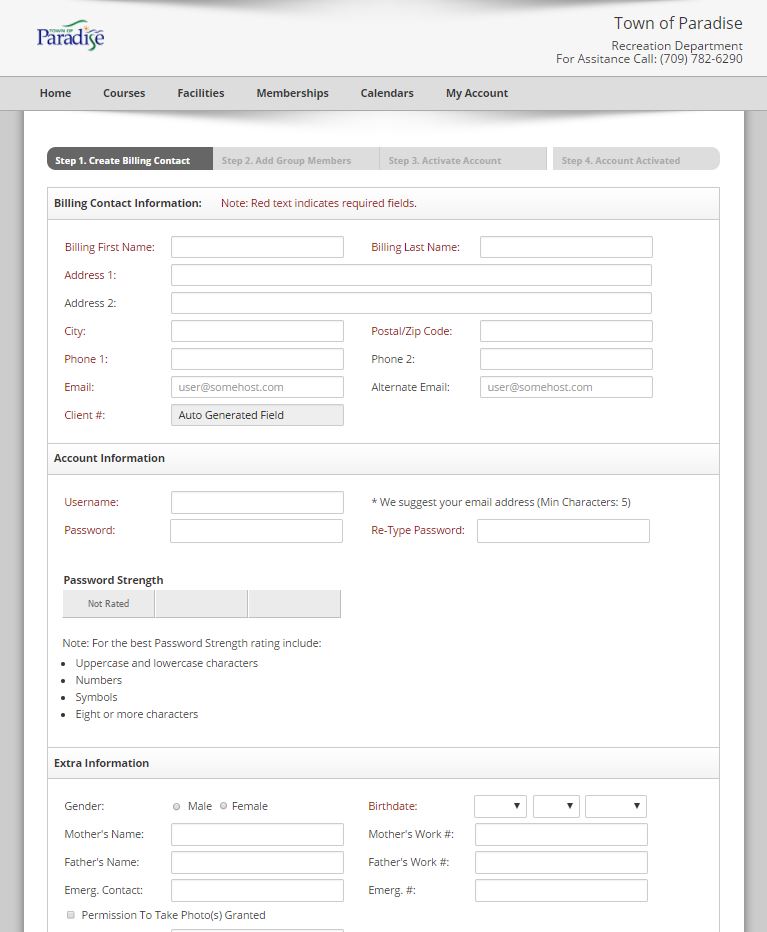
STEP 1: Create yourself (the parent/guardian) as the billing contact. Please provide your own contact information on this first page. It does ask some questions that you may find a little odd. For example, your birthdate and doctor's contact information. This is because we need to collect this information from your children and if we ask one client, we must ask all, even if you are only a billing contact for your child/children. If you do not wish to provide this information for yourself, simply bypass this by filling those required fields with "000000". At the bottom of the form, select "Next".

STEP 2: Add each additional child/person, including all required fields. (All fields must be completed for each child/person, please do not bypass, as all pertinent information is important.
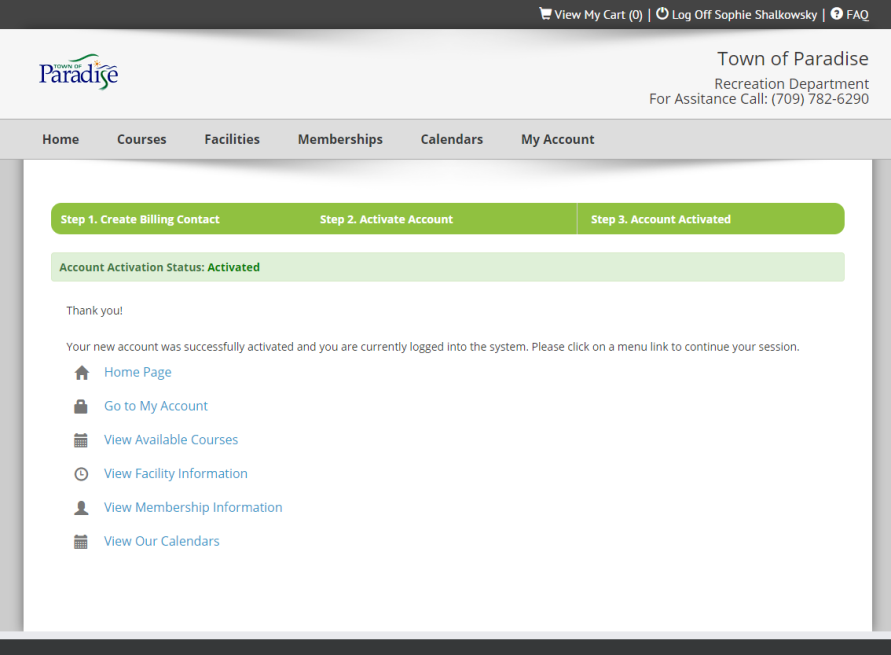
STEP 3: Once all members have been added, an account activation email will be sent to the email address that you provided on this form. Click on the link in that email in order to activate your account within 24 hours.
Upon a successful login, your account will be activated. You will see options for going to the Home Page, editing My Account, viewing Facility Information, and viewing Calendars.
Online Course and Camp Enrollment
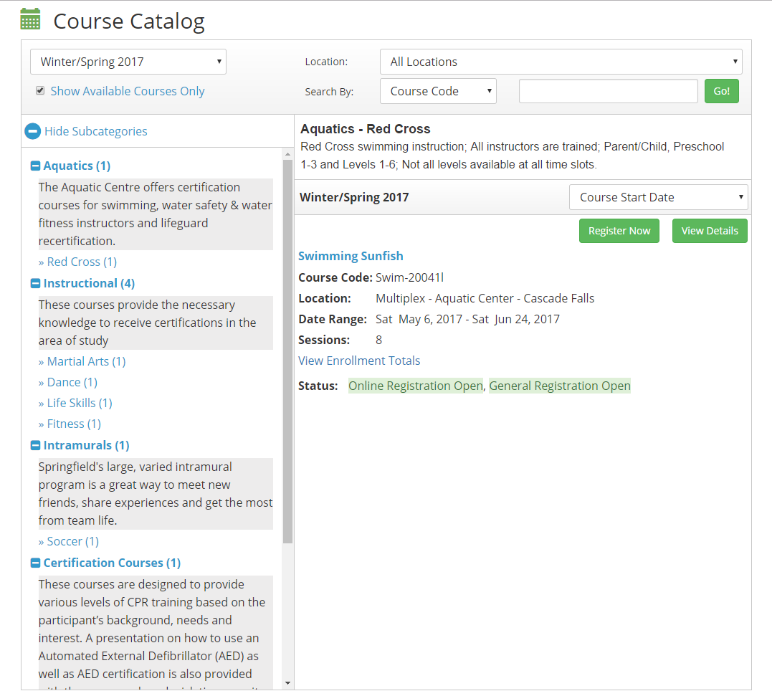
Once successfully logged into your account, go to the "Courses" button in the top header. From here, you will find our full course catalogue, split into the following categories for your convenience: Youth Programs, Child and Family Services Programs, Fitness Programs, and Town Events.
For Summer Day Camp Registration, your category will be "Child and Family Services Programs".
Use the course breakdown on the right side of your page to find the course that's right for you (i.e.: Camp Specifics, as well as weeks).
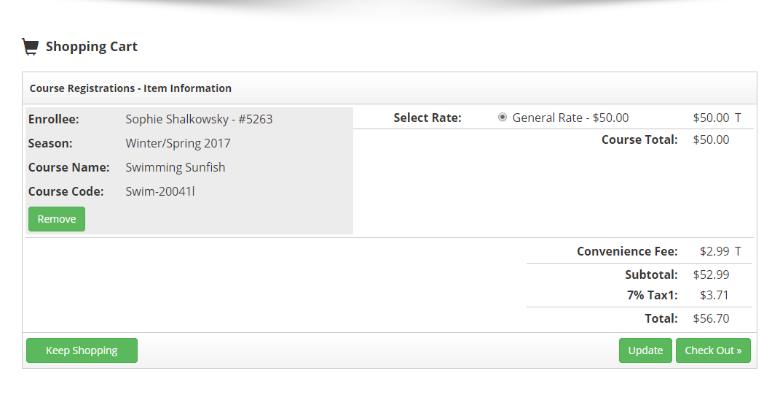
Once you find the course, you can "View Details" or "Register Now". Once "Register" is selected, you will be taken to your "Shopping Cart." From here, you can "Keep Shopping" or "Check Out" where you will be prompted for your credit card information.